Your Own Relay: A Private VeilMesh Network for Your Family, Team or Company
The public VeilMesh relay is fine for most people. But some groups want their own: a machine of their own, only the people they invite, their own rules — and no way for us to read anything or log in without their permission. Here is how a private relay works and what it does and does not let us see.
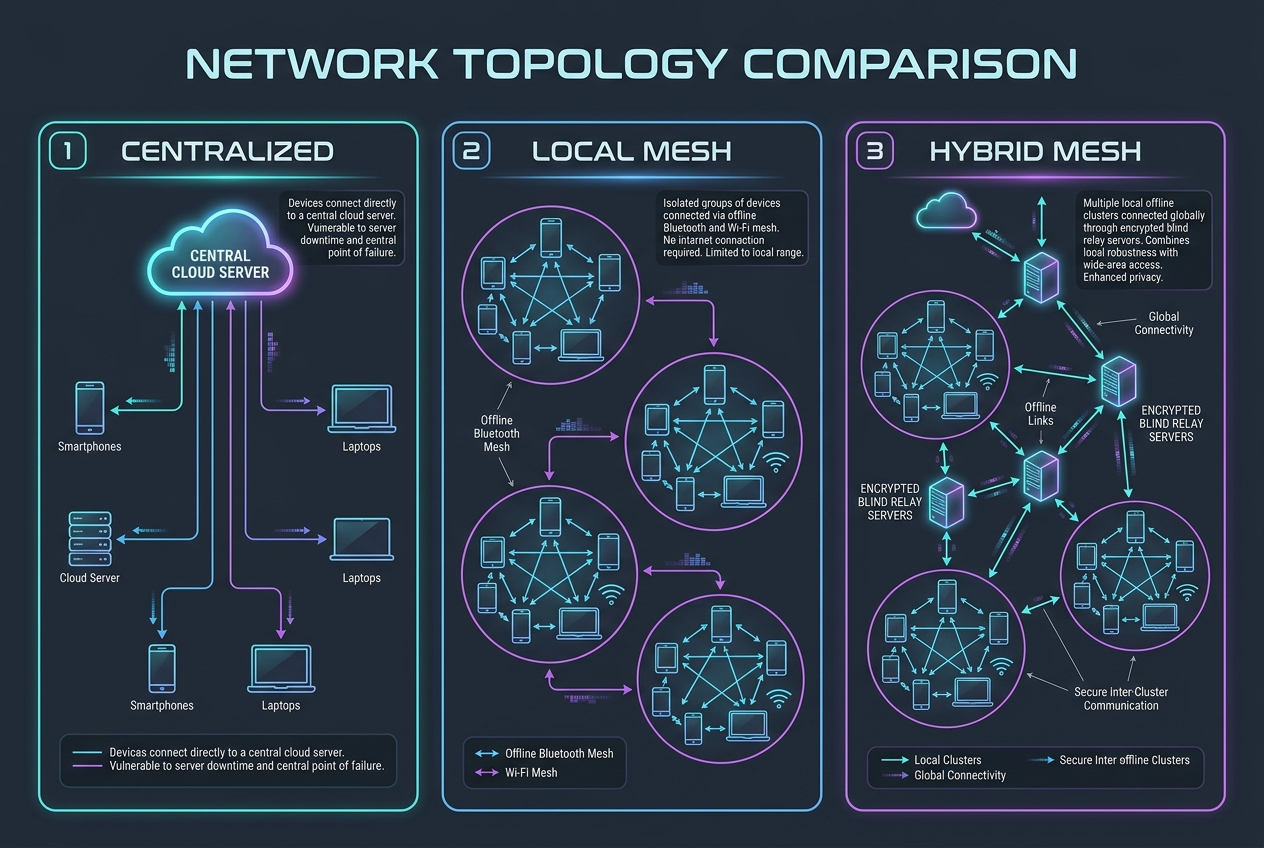
Every VeilMesh message is end-to-end encrypted on your phone. The relay that carries it over the internet never has the keys — it moves sealed envelopes it cannot open. For most people the shared VeilMesh relay is all they need.
Some groups want more than "the server can't read it". A family that wants a space only for itself. A team that wants to decide who joins and to remove people the day they leave. A company whose security officer asks where the data lives, who operates the machine and who can log in to it. For them there is Get your own relay.
What you get
A machine of your own. Your relay runs on a dedicated server with its own network, its own database, its own call server and its own backups. Nothing is shared with other customers. You choose the region where it runs. And if your rules require the relay inside your own walls — a public-sector body, a regulated company, a site with its own data centre — VeilMesh Box runs the same relay on your own hardware (see below).
Only the people you invite. Membership is by invitation — a link or a QR code. When someone opens your invite, the app shows your relay's address, its key fingerprint to check with you, and your relay's rules, signed by the relay itself: who can join, how long encrypted messages are kept, how often the relay key is renewed.
Your admin panel. You see your members, decide who may make calls or upload files, issue and revoke invites, and remove people. The panel opens only from the addresses you allow, and you can change that list at any time from the customer portal — even if you lock yourself out.
The same apps. Your people use the regular VeilMesh apps for iPhone, iPad, Mac and Android (Windows and Linux are coming soon). Encrypted chats, groups, voice and video calls and file sharing work exactly as on the public relay. Support for belonging to several relays from one app is rolling out.
What we can and cannot see
This is the question that matters, so here is the plain answer.
We cannot read your messages, files or calls — on your relay or on our public one. No VeilMesh relay ever holds the keys to your conversations, so there is nothing for us to read, and we do not try.
We cannot log in to your machine without you. After setup our engineers have no standing access. Access opens only when you open an access window in your admin panel, for as long as you choose. Every login — and every refused attempt — is recorded and shown to you in the customer portal.
What your relay tells us is only what we need to keep it healthy: whether it is running, its software version, disk space, the age of its last backup and when its certificate and license expire. Never your member list, your chats or your messages.
Backups are encrypted with your key before they leave the machine and are stored in another region. They are copied for us only if you choose so.
When you cancel, the machine is deleted and the encrypted backups expire on their own within 14 days.
What a relay still sees — any relay, including yours: which accounts are connected, when, and which account a message is for. We list exactly how we reduce that, and what is still visible, on our Security page.
How it works
- Choose a plan and pay. Card payment by Stripe, monthly or yearly; prices include tax.
- Deploy. Sign in to the customer portal with the e-mail you paid with, pick a region and press Deploy. Your relay is usually ready within minutes; the portal shows each step, and we e-mail you when it is up.
- Become the owner. Take the one-time owner key from the portal — it is shown once, only to you — and open your admin panel.
- Invite your people. Send invite links or QR codes. They join from the VeilMesh app.
Plans
| Plan | For | People | Per person / month |
|---|---|---|---|
| Solo | You, your family and close friends | 3–10 | €10 / $11 |
| Team | Small teams and crews | 10–50 | €9 / $10 |
| Business | Companies and fleets | 25–250 | €8 / $9 |
Yearly plans cost ten months. Prices include tax.
When VeilMesh Box is the better fit
A private relay runs on a machine we operate for you. If you need a relay that works with no internet at all — on board a vessel, offshore, in an air-gapped facility — or your security rules require the machine in your own data centre, as they often do for public-sector organisations, where we have no access unless you grant it, ask us about VeilMesh Box and Enterprise plans through the Get your own relay page.
Honest about the limits
- A relay still sees which accounts are connected and when; hiding the sending account from the relay itself is on our roadmap.
- Our security reviews so far are internal; an independent audit is planned.
- Post-quantum protection covers the link between your phone and computer today; phone-to-phone sessions use classical cryptography for now.
The details are in our Whitepaper and on the Security page.